
Your dual-camera
shooting companion
Shooting alone usually means guessing — is the framing off, did the expression slip, did the moment pass? VlogMate lets one phone shoot while the other sits beside you as a live monitor, capturing a second audio track along the way. The two phones connect directly; nothing you record passes through a server.
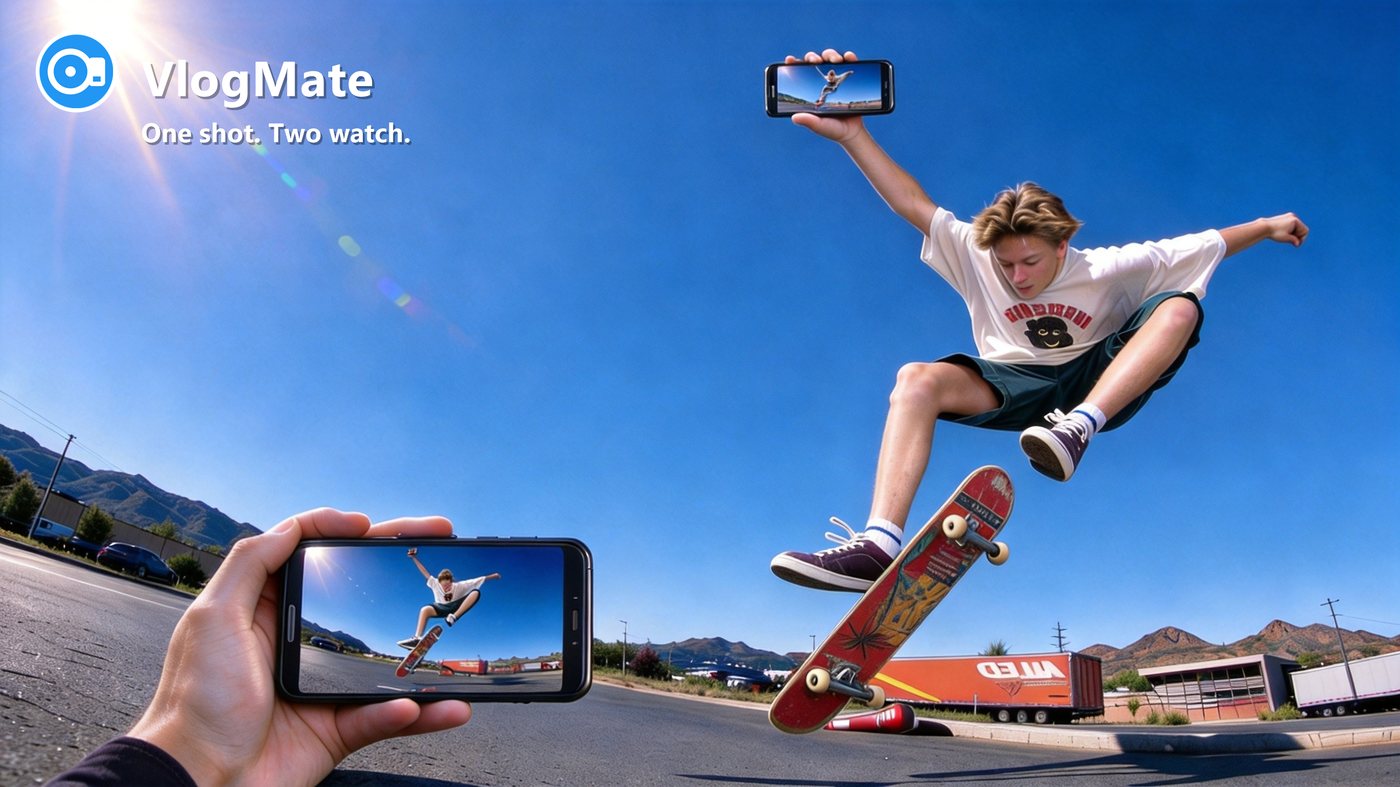
One shot. Two watch.
Phone A points at the scene; phone B sits beside you as a live monitor — 4K 60FPS, separate audio tracks.
See it in action
Two phones, one take — real footage shot with VlogMate's dual-camera link.
Landscape demo — 4K capture with live remote monitor (50s)
Vertical demo — built for solo vlogging (50s)
Built for solo creators
Get a two-camera setup working entirely on your own — no running back and forth, no endless retakes.
A monitor, even when you're alone
One phone shoots, the other sits beside you showing the shot live. Bad framing or a slipped expression is obvious right away — not after the shoot.
Sharp enough to crop
4K detail holds up when you zoom in or punch into a frame during editing.
Smoothing that keeps texture
Adjustable strength, natural skin texture preserved. Good to go for livestreams, vlogs and interviews.
Two voices, two tracks
Phone A captures the scene audio; phone B records a separate track. Each voice stays on its own track — no guessing in post.
Record for hours without losing it
When the phone gets hot it cools down and keeps recording; when the battery drops it closes the file safely first. Hang it up outdoors all day.
Footage stays on your phone
Recordings are saved straight to phone A's gallery — ready to watch, edit or share. No upload to wait for, and no service that can take them away.
Nothing interrupts the take
Screen goes dark, you switch apps to reply to a message, the monitoring phone drops off or even shuts down — phone A keeps recording. Footage is written by A's camera to A's own storage; B is only a monitor, and its presence doesn't change the final file.
You're shooting alone — but someone still has to watch the frame
From the vanity to the stove, from the street to the shop floor — different scenes, same problem: you're on your own, but the frame needs a second pair of eyes.
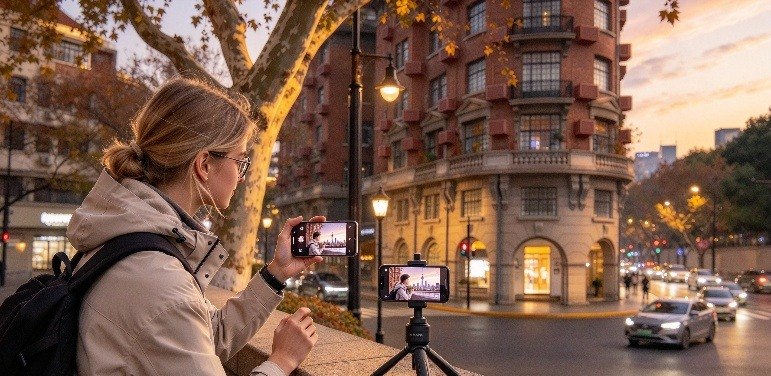


🎬 Solo vlogging
Walk and talk to camera while phone B on a stand shows your framing live — no more endless retakes.
💄 Vanity talks
Phone on a stand in front of the mirror; you talk while doing your makeup. The monitor watches whether your face drifts out of frame or out of the light.
🍳 Cooking shows
Locked-off camera at the stove while you cook — hands and pan stay in shot together, and the monitor confirms nothing gets blocked.
🏙️ Street shooting
Tripod set, you step into the frame. You know right away if you're off-centre — no walking back to check the playback.
🏃 Action follow
You're the one in shot; the other phone watches for you drifting out of frame. One jump tells you where you overshot.
🍜 Store visits
One hand holds the product, the other shoots. The monitor checks expression and lighting — shop light is messy, so you fix it on the spot.
Awards & credentials
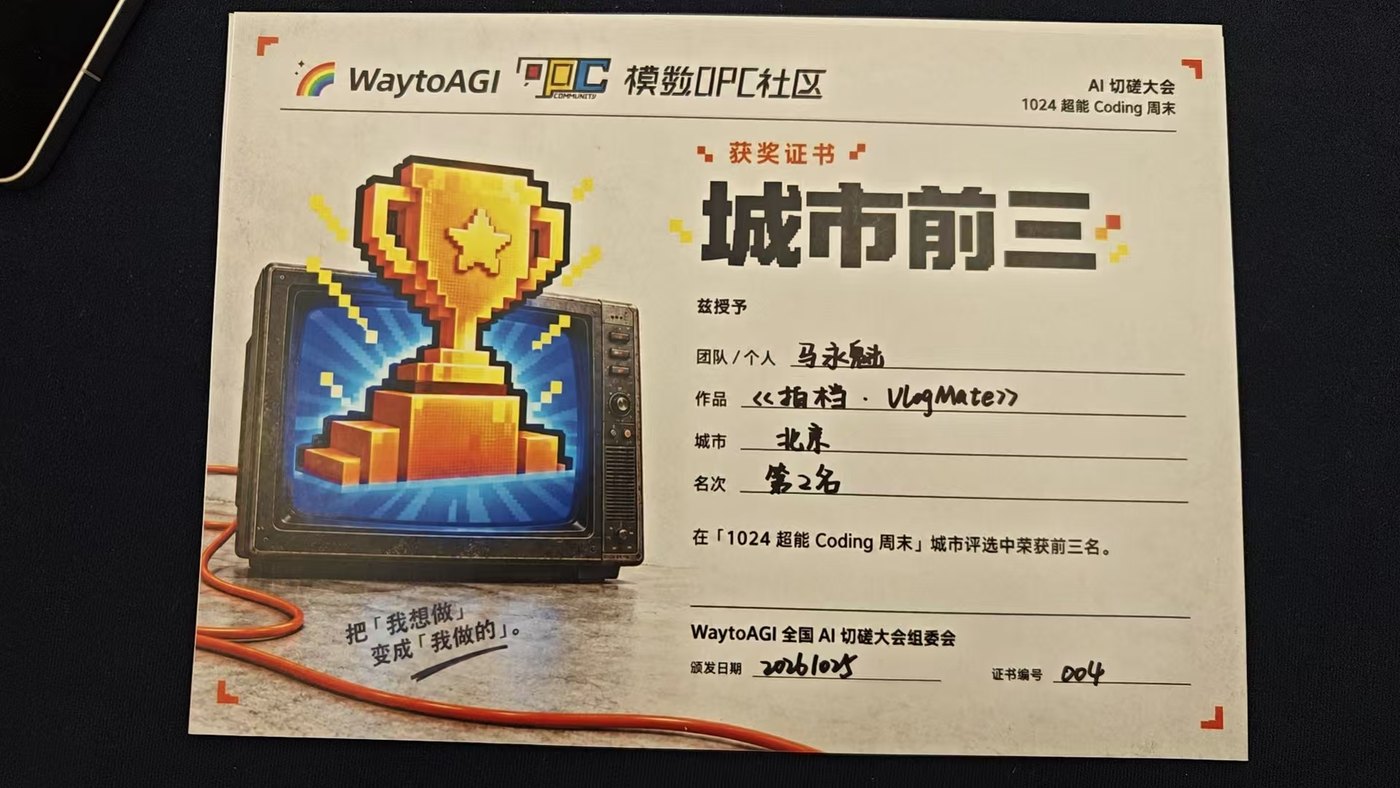
In October 2026, VlogMate placed 2nd at the 1024 Super Coding Weekend · AI Hackathon Season 28 (Beijing) and received the “Track Star” award.


Your footage stays between you and your devices
Your recordings live on your own phone. The two phones talk directly, with no server in between. We don't touch your location, contacts or messages, and there's no ad or analytics SDK watching from behind.
Privacy & compliance
We take your privacy seriously. Read the full Privacy Policy and Terms of Service.
Frequently asked questions
The things people ask most before shooting — 30-second answers.
The phone gets hot while recording — how do I keep it cool?
The single most effective move: turn phone A's screen off. The display is one of the biggest heat sources in a phone — switching it off drops heat output substantially, while recording, monitoring and transmission all keep running. It's the recommended way to shoot long sessions.
VlogMate also has built-in thermal protection in four escalating stages: warn, step down, split-and-continue, then a safe stop — it never cuts out the moment it gets warm. Nothing you recorded is lost, and quality recovers as the phone cools. Other ways to keep it cool:
- Use a cooling clip or small fan, or take off a thick case;
- Avoid direct sunlight and hot environments;
- If it has already stepped down, let the phone cool to the touch before recording again;
- For long sessions, keep the phone plugged in and use a cooling clip.
How do I connect the two phones? What if it fails?
The key is getting both phones on the same network:
- Same WiFi: connect both phones to one router;
- No WiFi: either phone can share a personal hotspot for the other — handy outdoors.
Still failing? Check in order: both phones have the app installed and open; the hotspot phone can turn off its own mobile data first; if your router enables "AP isolation / guest network", turn it off and retry; if phone B shows "waiting for A", tap Reconnect.
Stuck on "transferring" and phone B can't connect?
Phone A looks normal (stuck on "transferring / waiting for B") but phone B times out — the app likely got stuck after sitting in the background. Fix it in order:
- Force-stop, then reopen: Settings → Apps → VlogMate → Force stop, then open it and connect again. Swiping the card away in recents may not fully kill it;
- Still stuck? Reboot phone A, reopen the app and try once more.
First-time connection or network trouble? See the previous question.
How long can I record? Will it stop halfway?
Long-duration recording is a core focus: when the device gets hot the app steps down and keeps recording instead of stopping, supports resume-on-interrupt, and wraps up safely at low battery to save what you captured. Actual duration depends on device, quality preset and ambient temperature; a cooling clip and ample battery go a long way.
Does 4K work on all phones?
Device-dependent. The app matches the best preset (resolution / frame rate) to your device automatically — mainstream flagships support 4K, other devices get the best mode they support. See the in-app display for the actual preset.
Is my video or audio uploaded to a server?
No. The two phones connect directly peer-to-peer with encryption; video and audio never pass through any cloud server. Recordings stay on your device. We collect no location, contacts or unrelated data, and there are no ads or analytics SDKs.
Can phone B record audio too?
Yes. Phone B captures a separate audio track streamed live to phone A, where it's merged with phone A's footage and ambient sound — recordings save on phone A only (AB dual audio tracks: interviews, talks and covers in one take, with easier alignment in post).
Why does the preview on phone B look softer than phone A?
Phone B's monitoring quality adapts to its performance and network conditions — when the network fluctuates, smoothness comes first. Your final footage is what phone A records and is not affected by phone B's display.
Is iPhone supported?
Android only for now (Google Play release in progress); iOS is not supported yet.
Why does the preview on phone B sometimes stutter or drop frames?
Phone B is a live monitor, not the final footage. Stutter usually comes from one of three places:
- Network — weak WiFi, a crowded 2.4 GHz band, or too many walls. Prefer the 5 GHz band, or connect directly through a phone hotspot;
- Phone A's load — A is capturing, beautifying, encoding and transmitting at once; heavy background apps make its frame output jitter;
- System scheduling — when the phone throttles from heat or runs low on memory, the OS squeezes background CPU time.
What we already do: adaptive monitoring quality on B (drops sharpness before smoothness), encoding and beauty on separate threads, and capture-priority scheduling on A. Your final footage is unaffected by B's stutter — what A records is what you get.
Do I need to clear background apps? Which permissions does it need?
No manual cleanup needed. VlogMate uses the system's standard background keep-alive mechanism — you don't have to clear other apps from the task manager before every shoot. On a real phone that is neither practical nor free: it usually requires extra high-risk permissions.
Only two permissions are requested, both functionally required:
- Camera — to record;
- Microphone — audio (A's ambient sound + B's separate track).
Recordings are written to the system gallery; on Android 10+ the OS handles this without an extra prompt. Notification permission only shows recording status — declining it doesn't affect recording.
We explicitly do not request: nearby devices, precise location, contacts, SMS, call logs or background pop-ups. Pairing works by phone A displaying an IP address and phone B entering it — no WiFi scanning — so we don't even need a “nearby devices” permission.
Is the advertised 60 fps real, or padded with duplicate frames?
It's real. The tell is whether a number refers to the frame rate written into the file or the frames the sensor actually delivers.
VlogMate's frame-rate metric uses srcFps only — frames genuinely fed by the camera sensor, not the nominal value stamped into the container. Duplicating frames or packaging 30 fps as 60 fps would be immediately visible under srcFps, so we don't do it — and couldn't.
Presets are also chosen from long-duration thermal-steady-state tests while connected, not from vendor spec ceilings or short bursts. So the 60 fps you get is 60 fps that holds.
How much space does 4K 60 fps use per hour?
At 56 Mbps, 4K 60 fps runs about 25 GB per hour — a measured steady-state bitrate, not a peak. Actual size varies with scene complexity and runs slightly higher on busy scenes.
Lower presets scale down proportionally, and the recording screen shows the estimated usage for the current preset. For long sessions, free up space or pick a lower preset.
What if the battery dies mid-recording?
It won't corrupt the file. When the battery hits the warning line, the app finishes writing the current segment, closes the file properly, then tells you — you won't be left with a file that won't open.
Battery level is judged two ways: the system percentage and the actual battery voltage. Phones often report a percentage that jumps around under cold or heavy load, so percentage alone isn't reliable.
To record longer: plug in, or turn phone A's screen off — that saves a meaningful amount of both power and heat.
What if the screen goes dark or the monitor phone drops off — does recording stop?
No. All of these are tested; phone A keeps recording:
- A's screen turns off — recording continues. The display is one of the biggest heat sources, so this actually keeps the phone cooler and lets it record longer;
- A switches to another app — recording continues via a foreground service; you don't have to keep the app on screen;
- B disconnects, loses network, crashes or powers off — recording continues. B is only a monitor; footage is written by A's camera to A's own storage;
- B reconnects — it picks the preview back up, and recording is unaffected — no new file is started just because B dropped.
The only things that stop a take: you press stop, or the battery runs out (the file is closed safely first).
Get VlogMate
The global edition is rolling out on Google Play — stay tuned. For early access or feedback, reach out any time.
Global · VlogMate
For Android users worldwide, with Google sign-in and Google Play billing (30-day free trial, then one-time purchase).
● Coming soon on Google PlayContact us
Feedback, issues and partnership inquiries — we'd love to hear from you.